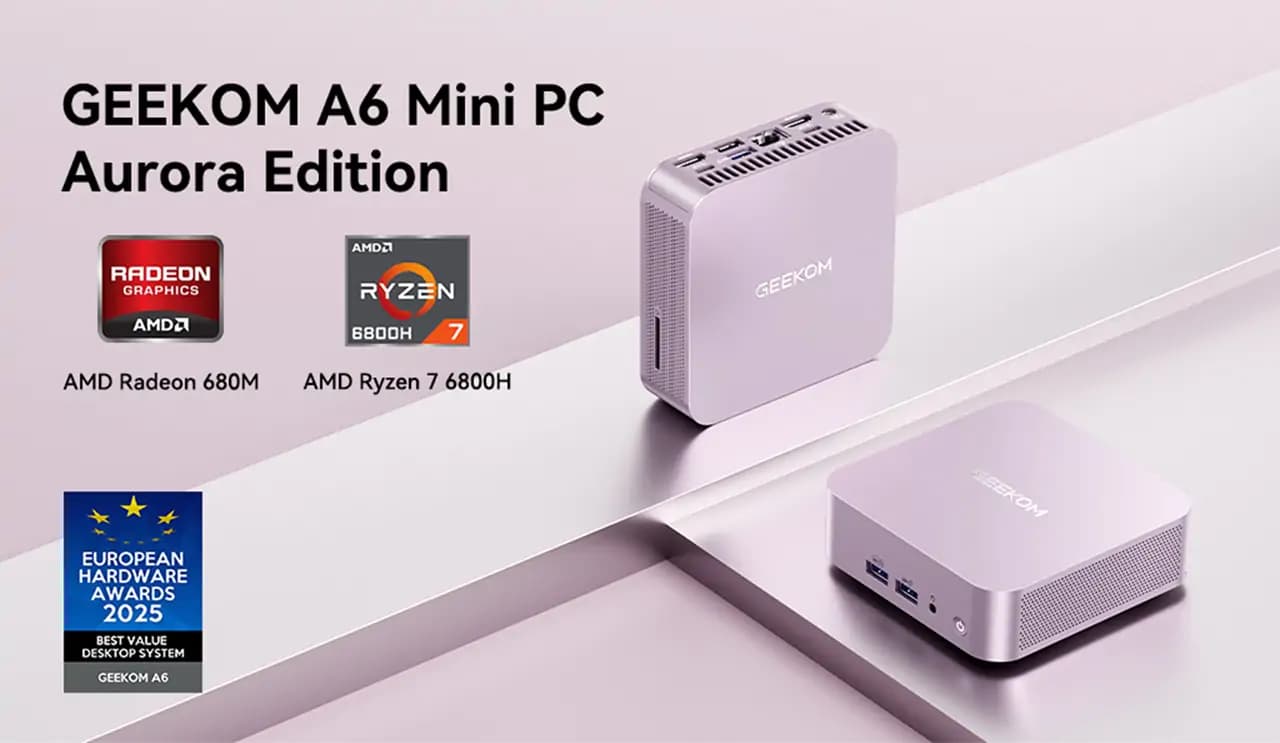
Recently, there’s been a growing number of users who care not just about specifications, but also about design and colour. We’re hearing more voices saying they want a high-performance computer that’s also adorable when placed on their desk. Meeting these demands is the GEEKOM A6 Aurora Edition. This mini PC successfully combines the excellent performance of the AMD Ryzen 7 6800H with a charming pink colour. Its capabilities have been highly recognised in the industry, including winning the “Best Value Desktop” award at the 2025 European Hardware Awards.
Note: GEEKOM A6 Aurora Edition Mini PC is unavailable in the UK
A Pink PC That Combines Cuteness with Practicality
The Pink Chassis That Creates Cuteness
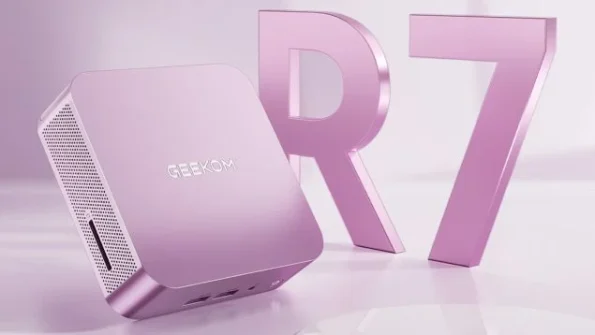
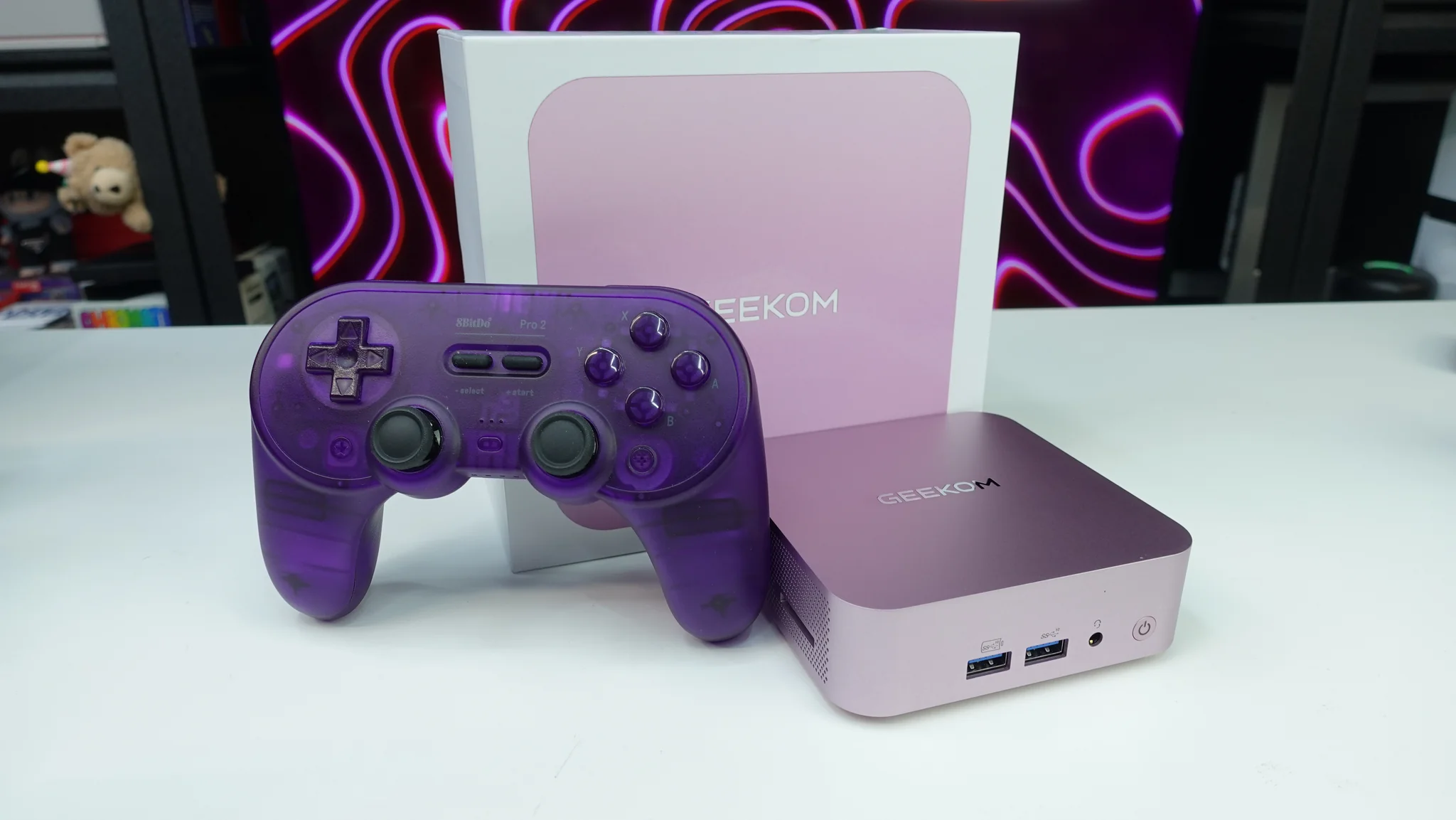
The GEEKOM A6 Aurora Edition featuring a matte aurora pink finish, it reflects the expansion of a user demographic that values “the aesthetic appeal of their desk environment”—something that hasn’t traditionally been prioritised in the PC market.
This pink colour, applied to the compact body measuring 112.4 × 112.4 × 37mm, combines with the premium aluminium chassis texture to achieve a finish that doesn’t feel cheap. Combined with its lightweight design of just 450g, it overturns the conventional preconception that “high-performance PCs are large and heavy.”
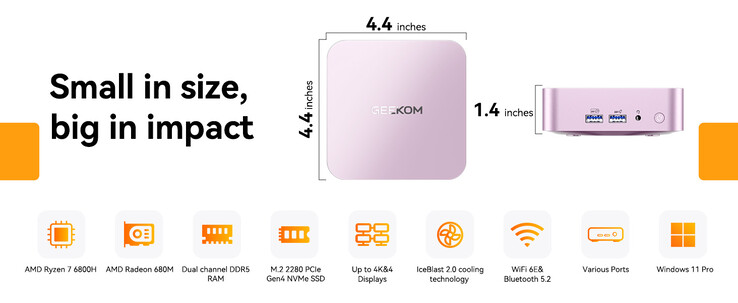
The stylish and warm colouring sets it apart from traditional black or silver mini PCs. The elegant, not-too-flashy shade means it can be used in business environments without feeling out of place.
Perfect for Homes, Offices, and Various Environments
This aurora pink chassis demonstrates practicality in various settings.
In home workspaces, with remote work now commonplace, it meets the need to “maintain comfort even in work spaces.” It pairs beautifully with white desks, wooden furniture, and Scandinavian interiors, softening the impression of home offices. Even during video conferences, the colour that appears in the background looks natural and creates a positive impression.
In office environments, the balance between expressing individuality whilst maintaining dignity is crucial. This aurora pink functions as a stylish PC that can moderately express the owner’s personality whilst harmonising with grey and beige office furniture.
With VESA mount compatibility, you can create a tidy space as needed, ensuring installation flexibility.
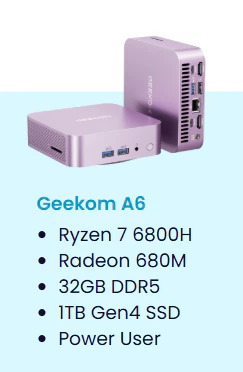
- AMD Ryzen™ 7 6800H
- AMD Radeon™ Graphics 680M
- Dual-channel DDR5 4800MT/s up to 64 GB
- M.2 2280 PCIe 4.0 ×4 SSD, up to 2 TB
- 2.5GbE, Wi-Fi 6E, Bluetooth 5.2
- Windows 11 Pro, pre-installed and ready to use
Let’s Check the Performance of the Notable GEEKOM A6!
High Performance and Excellent Efficiency: Ryzen 7 6800H
Now, the AMD Ryzen 7 6800H at the heart of the GEEKOM A6 is a mobile chip featuring an 8-core, 16-thread configuration, with a base clock of 3.2GHz and a maximum boost of up to 4.7GHz. Thanks to the Zen 3+ architecture, it’s impressive how it demonstrates efficient processing capabilities.
What’s particularly noteworthy is the high processing performance achieved despite the 45W TDP setting. Running the Cinebench R23 benchmark actually produces figures of 13,891 for multi-core performance and 1,499 for single-core performance. In PassMark’s CPU benchmark too, it shows rather reassuring scores with a multi-thread rating of 23,377 and single-thread rating of 3,242.
Regarding comparisons with competing products, whilst Intel’s Core i7-12700H shows slightly better benchmark results, the 6800H also possesses sufficient capability at the same 45W power consumption. As a well-balanced choice suitable for compact PCs, it feels quite attractive. In actual use, you can expect benefits in creative work, such as 4K video rendering that previously took 30 minutes being reduced to around 20 minutes.
Related Article: Powerful Yet Efficient: The Ryzen 7 6800H Story
GPU: AMD Radeon 680M
Let’s look at the integrated graphics, the AMD Radeon 680M. It’s brilliant that it handles light gaming and basic video editing properly without needing a dedicated graphics card. Particularly with esports titles, it delivers better performance than expected—testing Counter-Strike: Global Offensive at 1080p resolution maintained a stable frame rate of an impressive 390FPS. Even with more demanding titles, you can achieve a sufficiently comfortable gaming experience with proper settings adjustments.
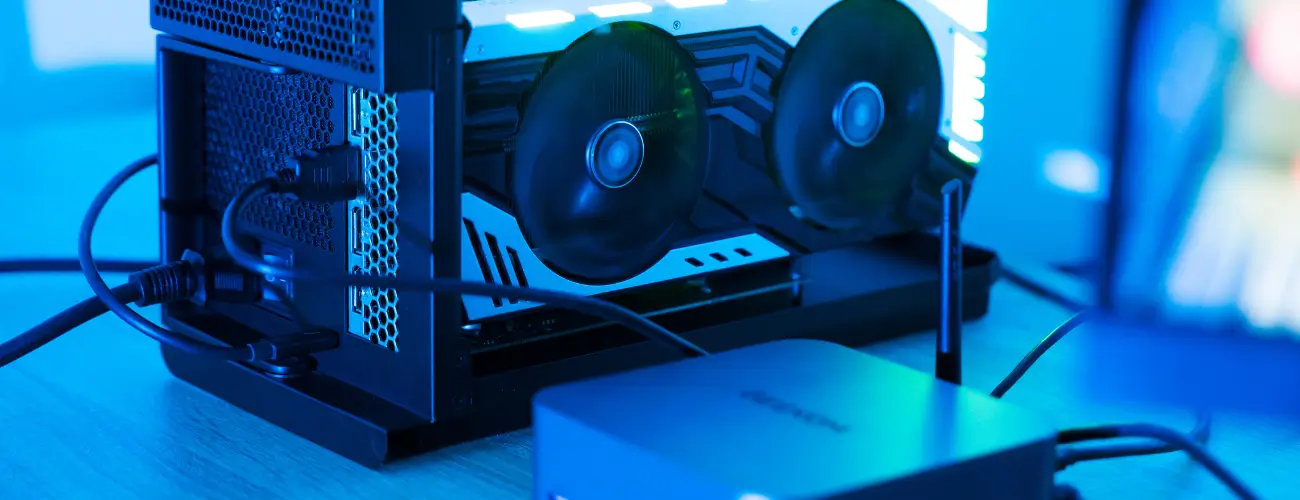
That said, to be honest, if you want to play the latest AAA titles on high quality settings or seek gaming at higher resolutions, you’d better consider improving performance through external GPU connection. Whilst it certainly falls into the excellent category for integrated graphics, you need to understand there are certain limitations for gaming purposes.
Expandability and Connectivity
What’s brilliant about the GEEKOM A6 is that despite this compact body size, it provides truly abundant connection options. Looking at the rear, you’ll find a USB4 Type-C port boasting 40Gbps transfer speeds, USB 3.2 Gen 2 Type-C, multiple USB 3.2 Gen 2 Type-A ports, and even USB 2.0 ports—they’ve really packed them in.
The comprehensive video output options are also worth noting. With two HDMI 2.0 ports and combined with USB-C ports, it supports 4K output on up to four screens. It’s surprising that single screen output at 8K resolution is also possible. This should contribute significantly to displaying high-resolution content and improving work efficiency in multi-monitor environments.
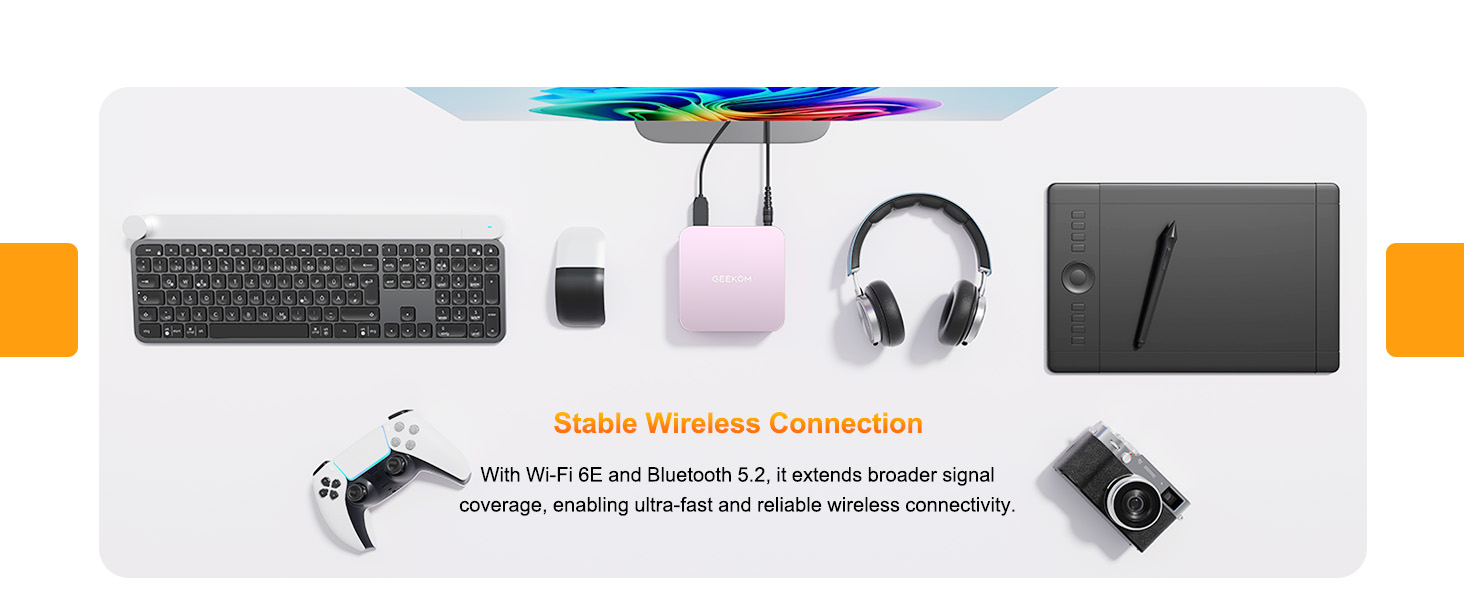
For network connectivity, it features a 2.5Gbps Ethernet port, perfectly handling business environments requiring high-speed data transfer. With WiFi 6E and Bluetooth 5.2, it’s reassuring that it properly supports the latest wireless communication standards.
Internal expandability is also thorough. With DDR5 memory upgradeable to 64GB maximum and a PCIe 4.0-compatible M.2 SSD slot, you can improve performance according to your needs. These expansion options provide reassurance through a design that can properly respond to changing performance requirements even during long-term use.
User Reviews of the GEEKOM A6 So Far
Looking across actual user and professional reviews, what stands out is the rather favourable reception of the GEEKOM A6. The price-to-performance ratio in particular is truly praised in many reviews, and it seems to have established a solid position as an excellent choice within the compact mini PC category.
Starting with overall evaluations, there are simply so many voices praising the high build quality and refined design. Regarding the aluminium chassis texture and abundant connection options for this compact size, users continuously rate it as “more solid than expected.” Particularly regarding the installation flexibility through VESA mount compatibility, practical benefits are noted with comments like “it can be hidden behind the monitor, keeping the desk tidy.”
The reputation for performance is also excellent, with it appearing to properly meet user expectations from daily office work to light creative tasks. Particularly for 4K video playback and basic editing work in Adobe applications, we hear pleasing comments like “it runs more smoothly than expected” and “I don’t feel any stress.” The fast boot-up in around 10 seconds is also valued by many users as highly practical for daily use.
Meanwhile, there are interesting observations about usability. When expanding memory or storage, the procedure requires removing the rubber feet on the bottom before accessing the screws—this design ensures stability and internal protection of the unit. The internal structure itself is properly organised, and many rate the expansion work itself as relatively smooth, suggesting that once you’re familiar with it, upgrades can be performed efficiently.
Regarding gaming performance, whilst it shows better results than imagined with lightweight titles, settings need to be lowered for the latest AAA titles, and on this point, voices are heard saying significant performance improvements are possible through external graphics card connection via the USB4 port.
Opinions are honestly divided regarding price, with some evaluating the price as reasonable for the performance, whilst others position it as a premium compact solution. This really depends greatly on how much you value compactness and design.
Listening to these various voices, the overwhelming majority rate it as “definitely recommendable for users seeking a compact, stylish, high-performance PC,” with the Aurora Pink edition in particular receiving especially high ratings from users who value both performance and design.
Recommended For Users
The GEEKOM A6 Aurora Pink edition is perfect for these types of users. Considering the balance of performance, design, and price, it’s particularly recommendable for the following three types of users.
Users Who Prioritise Performance but Also Consider Price
For those seeking solid processing performance on a budget of around the £300-£500 range, this is undoubtedly a strong candidate. Getting the upper configuration of Ryzen 7 6800H and 32GB DDR5 memory at this price point is quite attractive. This is the best mini PC under £500!
Particularly for those needing 4K video editing, serious work in Adobe Creative Suite, or simultaneous execution of multiple applications, this price setting at this performance level is excellent in terms of return on investment. If you’re mainly doing simple office work, there are other options, but if you want performance headroom considering future usage expansion, this is a suitable choice.
For those wanting to save space from traditional desktop PCs or creators who’ve outgrown laptops, products offering this level of processing power at this price point are limited, and it offers excellent value for money assuming long-term use.
Users Seeking High Performance Despite Compact Size
In environments with space constraints but where you don’t want to compromise on performance, the GEEKOM A6’s compact design really shines. At 112.4 × 112.4 × 37mm yet featuring an 8-core, 16-thread processor and abundant connection options, it’s ideal for building an efficient workstation in limited space.
With VESA mount compatibility offering installation flexibility and lightweight at 450g making it easy to carry, the 4-screen 4K output support is quite attractive for those wanting to build multi-monitor environments, with potential applications in trading systems and design work.
Users Pursuing a Distinctive Desk Environment
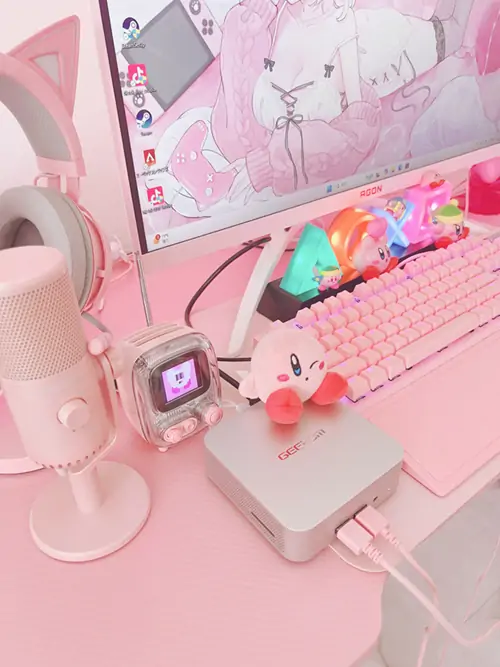
This pink colouring becomes an appeal point for those seeking personality in their workspace. For those who value aesthetics as well as functionality, or those who often showcase their workspace on social media, it’ll be valued as an attractive option.
With remote work now established, the need to make long-hour work environments more comfortable is growing, and from this perspective, this stylish pink computer has practical significance. The elegant colour tone that doesn’t feel out of place in business environments means it can be used confidently for professional purposes.
However, for those mainly considering gaming, I’d recommend understanding the limitations of integrated graphics before deciding. Whilst it delivers sufficient performance for esports titles, if you want to enjoy the latest demanding games at maximum settings, you’ll need to consider an external GPU setup.
Creating a Space That Complements Aurora Pink
If you’ve chosen the GEEKOM A6 in Aurora Pink, you’ll want to make the most of its charm throughout your entire workspace. By balancing colour harmony and functionality well, you can create an environment that’s satisfying both visually and for work efficiency. Let’s aim to create an ideal space by utilising the placement flexibility that comes with its compact size.
Basic Colour Coordination
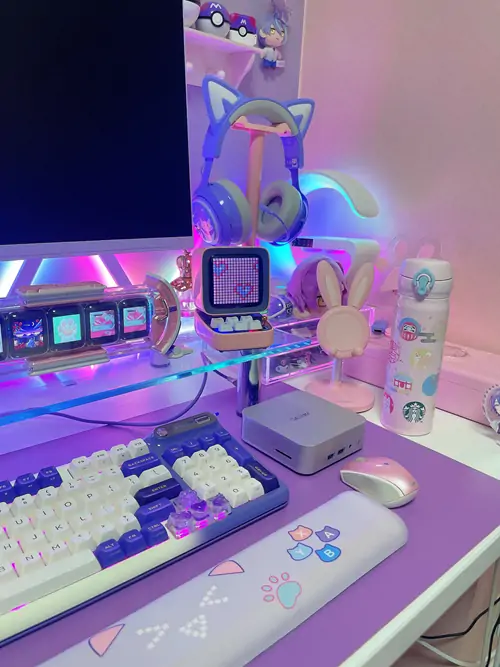
Considering compatibility with aurora pink, the combination of white and natural wood is definitely the go-to choice. White desks and wooden furniture naturally enhance the pink’s warmth whilst maintaining cleanliness, so you won’t get tired even after long periods.
For peripheral selection, coordinating with white or light grey creates a unified finish. If you match keyboards and mouse pads in similar colours, everything comes together for quite a stylish impression.
As a nice accent, placing light green houseplants is also recommended. Natural colours add depth to the space, and you can maintain a comfortable, eye-friendly environment even during long work sessions.
Efficient Placement and Cable Management
The palm-sized dimensions of 112.4 × 112.4 × 37mm are a delightful point that greatly expands placement options. You can place it neatly next to your monitor stand, tuck it tidily in a desk corner—flexible layouts that were difficult with traditional mini tower PCs can be easily achieved.
Using a VESA mount enables smart installation behind the monitor, which feels great as it keeps the desktop completely clear. In this case, planning the routing of power and display cables from the start results in tidy wiring and a beautiful finish later.
Making good use of USB-C connections can further reduce the number of cables, reinforcing that minimal impression. If you coordinate cable management products in white or beige, you can achieve both functionality and aesthetics, maintaining perfect harmony with the aurora pink.
Conclusion
The GEEKOM A6 Aurora Pink Edition delivers the excellent performance of the AMD Ryzen 7 6800H under £500 range and has won the European Hardware Awards “Best Value Desktop”—it’s quite a brilliant product. Despite its compact size, it’s attractive how it properly delivers desktop-level processing power.
However, if you’re choosing this aurora pink, it’s important to consider its value not just as a PC alone but within your entire workspace. Since it’s such a stylish pink computer, for users who can enjoy coordination with peripherals, it can be said to be a product that properly meets the expectation of “not wanting to compromise on either performance or design.”